
This module lets you create online membership forms for people who want to join your organization. Once the form has been completed and submitted, a contact record is automatically created in your Kananas workspace.
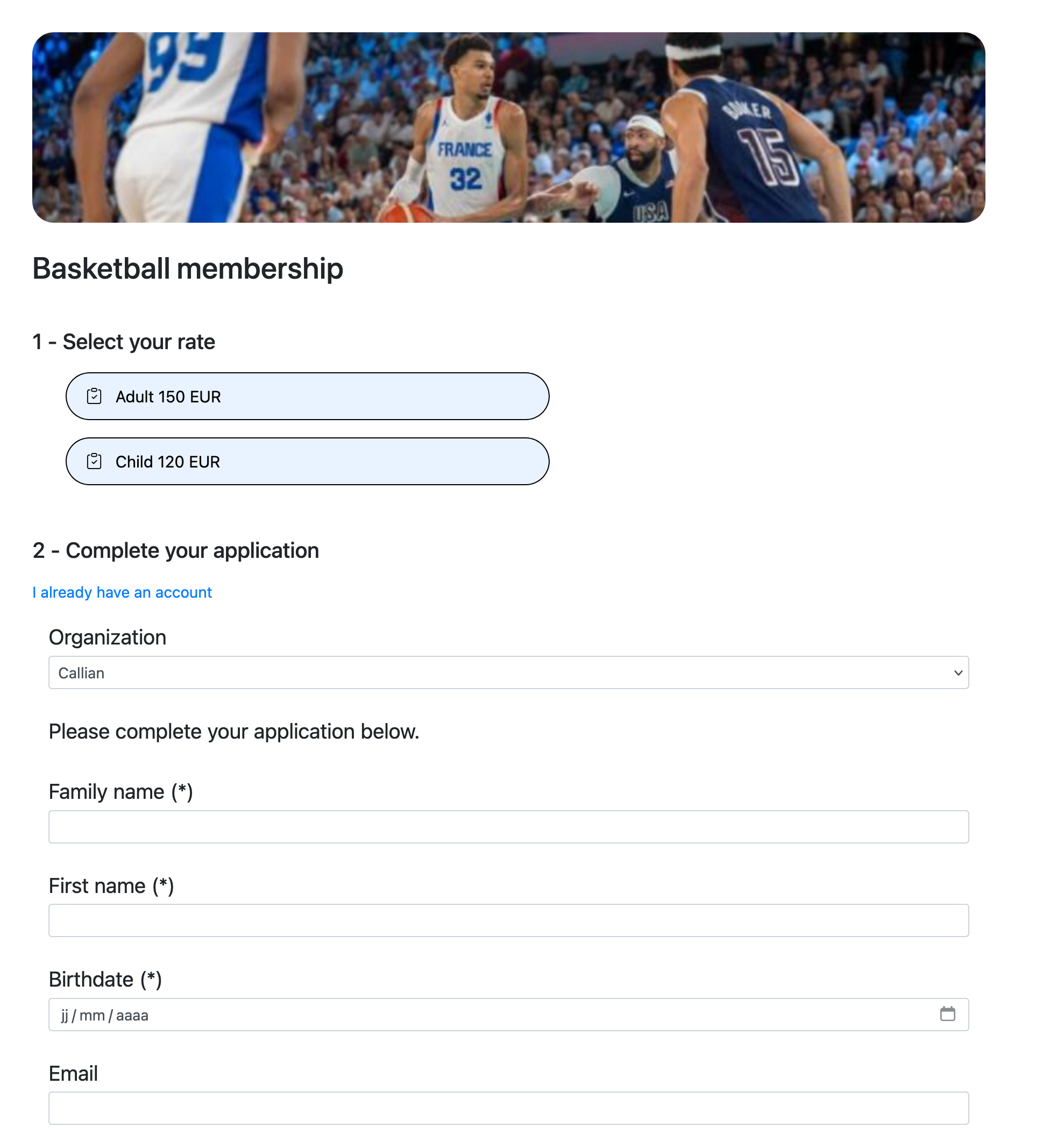
You can create as many online membership forms as needed to adapt the information requested to each activity, section or member type. For example, each section of your association or club can have its own form with specific fields.
The newly created contact record is automatically assigned the status defined in Settings > Options > New contact. If the selected status is “Active”, the person automatically receives an email with login credentials for their personal member area.
At price level, you can specify Type, Category and Tag values so that the contact record is automatically updated according to the membership option selected.
Each new membership request also generates a notification and an information email in Kananas. You can then review the request, validate the contact record and contact the future member if additional information or formalities are required.
Creating an online membership form
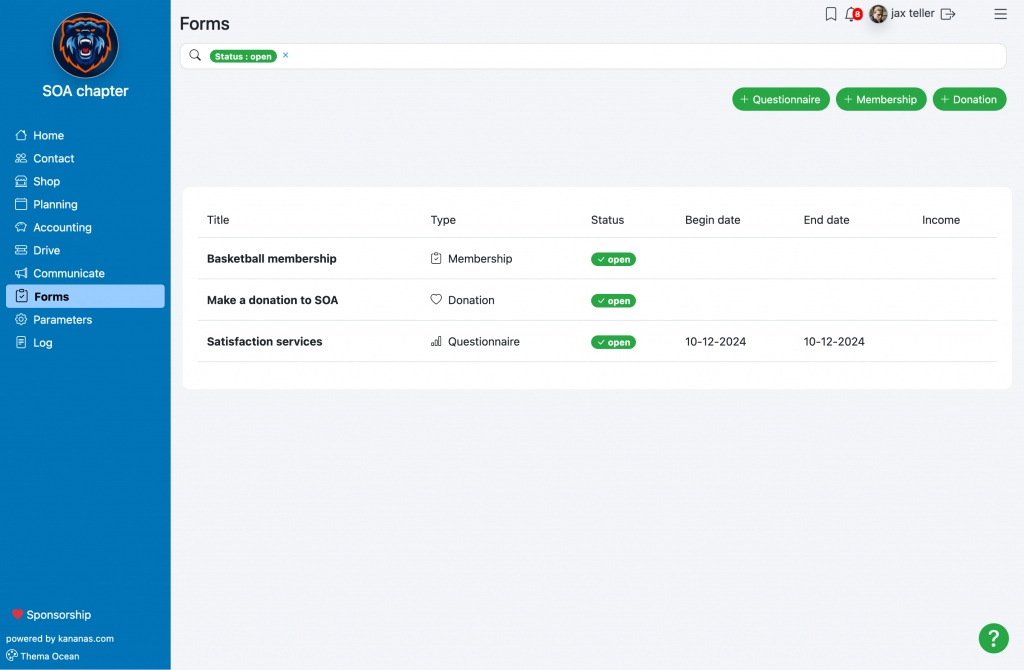
The form can be created from the Forms menu using the Membership button.
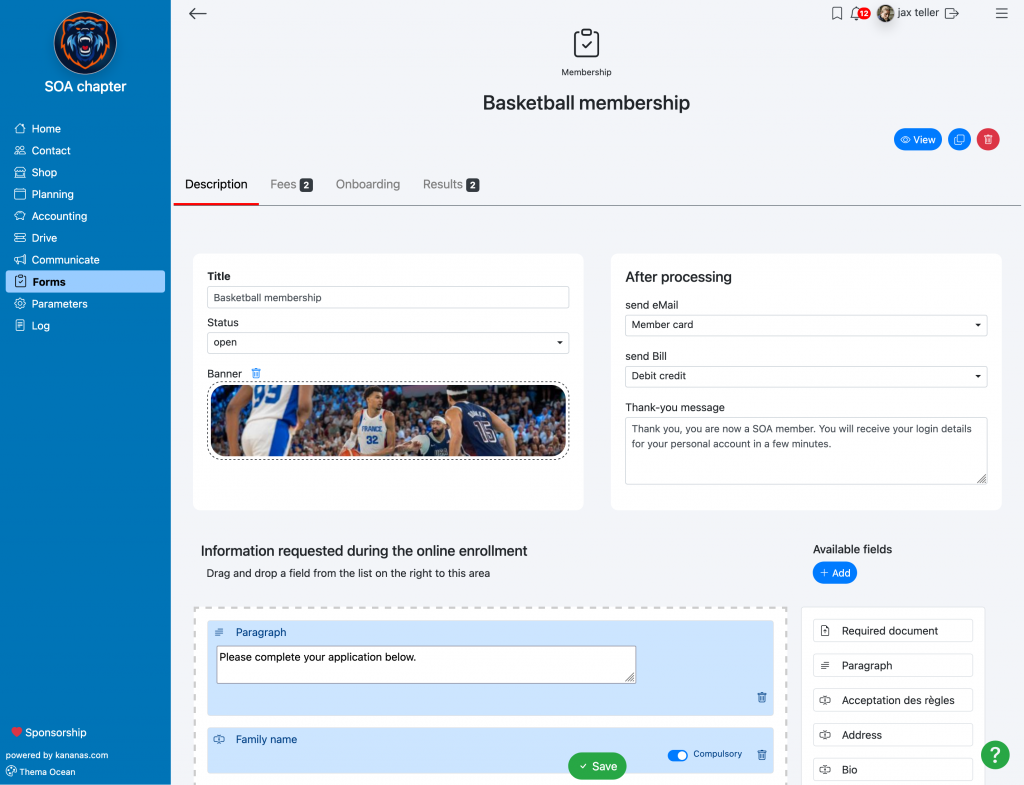
You can add all the fields from your Kananas database to your form and define whether each field is required or optional. To add fields, simply drag and drop them into the form. To change their order, click and drag the field to a new position.
If you need to collect information that is not available in the list, you must first create it in your custom fields.
You can also request the upload of documents, such as a medical certificate. To do this, drag and drop the “document upload” field from the right-hand column. You can rename the field once it has been added to the form. Please note that only one document will be collected per “document upload” block.
To upload a photo that will be used as the contact’s profile image, the document field must be named photo.
The paragraph block allows you to insert text into your form, for example to provide instructions on how to complete certain fields.
By clicking the Preview button located at the top right, you can view your membership form exactly as it will appear on your website.
Membership fees and pricing
If you want to collect an online payment for the membership, you must configure the different membership fees. Note: online payment must first be activated. See online payment.
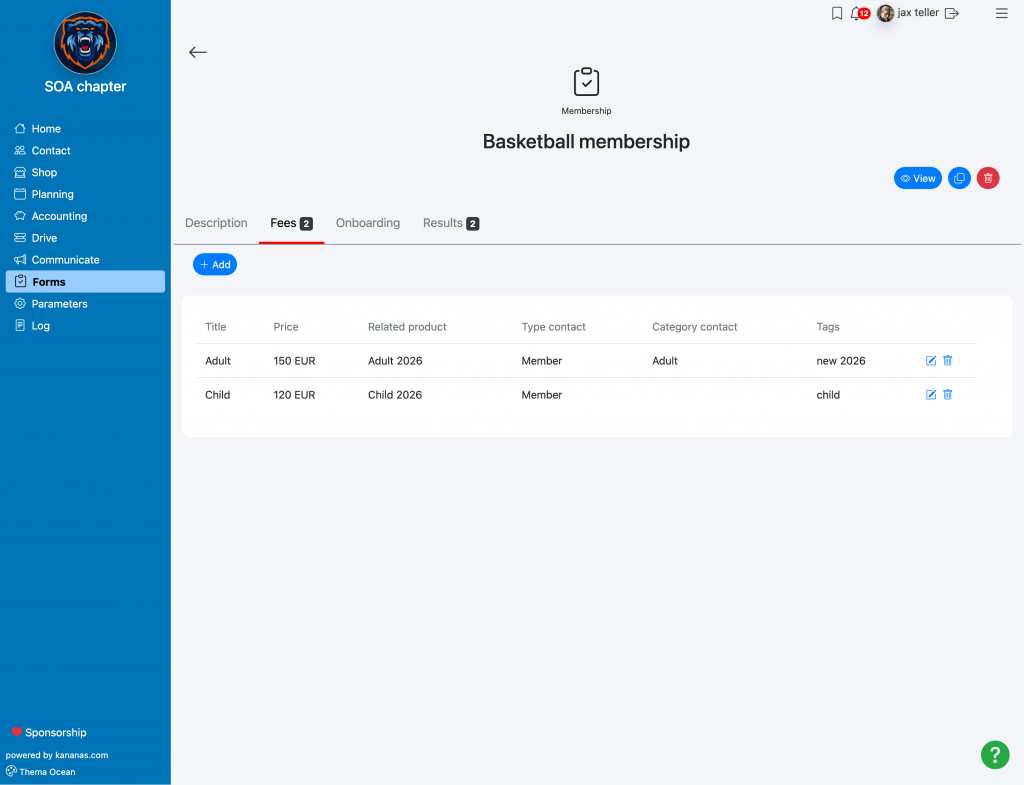
For each membership fee, you will then enter:
- The label
- The product associated with the membership, for example “2024 membership fee”
- The information required to create the applicant’s contact record: type, category and tag.
We recommend adding the main membership fees here. Optional items such as licenses, T-shirts or activities should be defined as products that members can purchase through the member personal area shop.
If the person already has a Kananas account, they can log in to pre-fill their membership form.
After submission
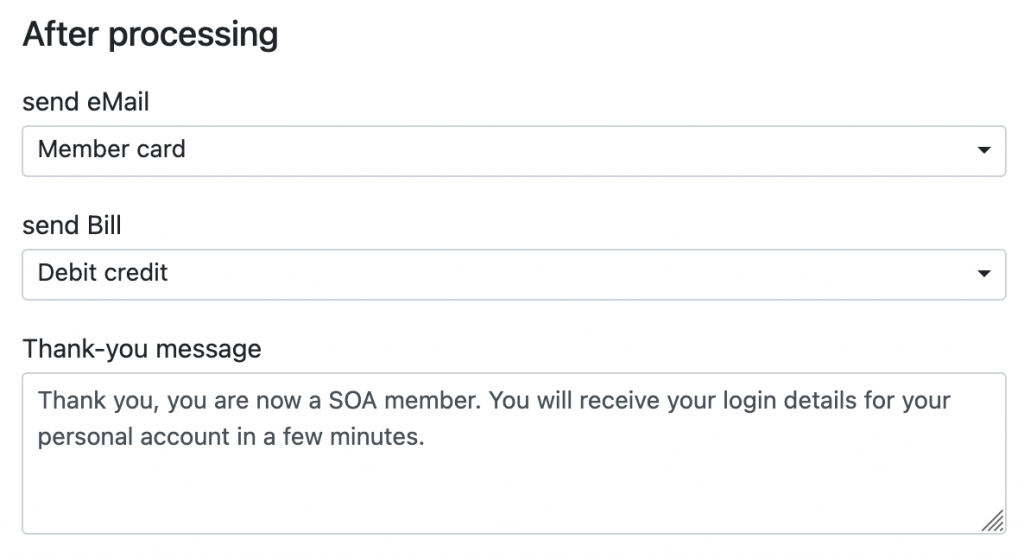
This section allows you to define an email and an invoice that will be sent automatically to the person who completed the form. The thank-you message is displayed on screen after the form has been submitted.
Website integration
To embed your online membership form on your website, use the codes provided in the Website Integration tab.
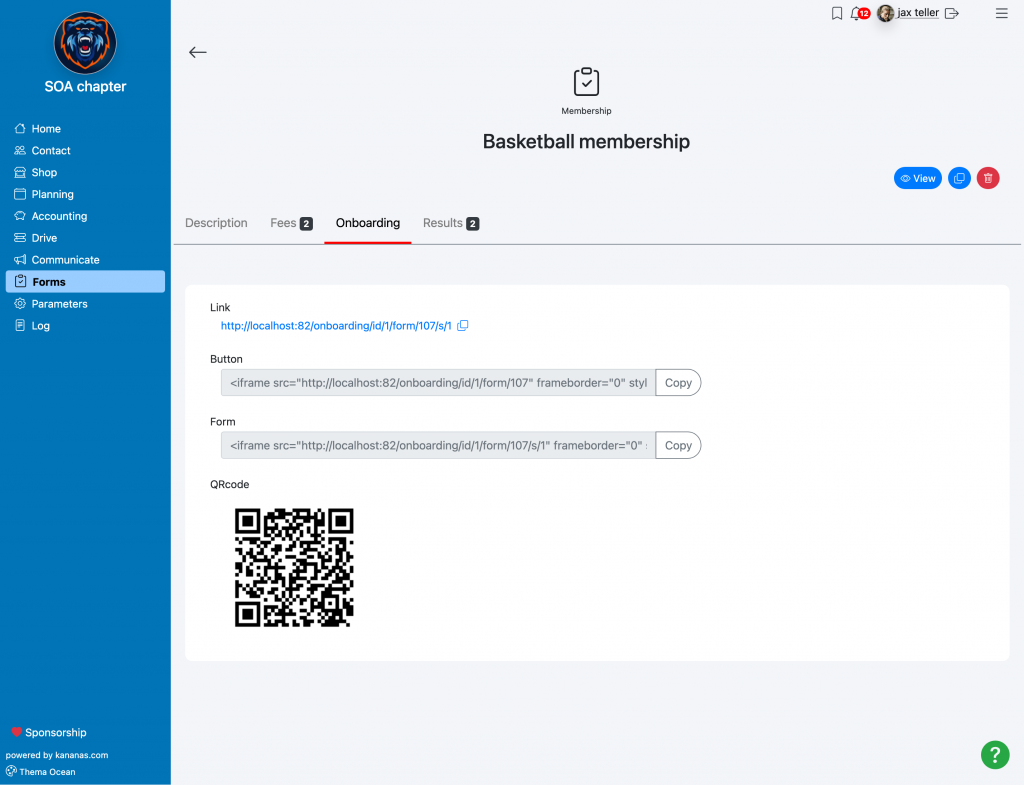
QRCode: if you want to use flyers or other printed communication materials, Kananas lets you generate a QR code that links directly to your online membership form. By scanning it with a smartphone camera, users can access the form instantly and submit a membership request.
Results
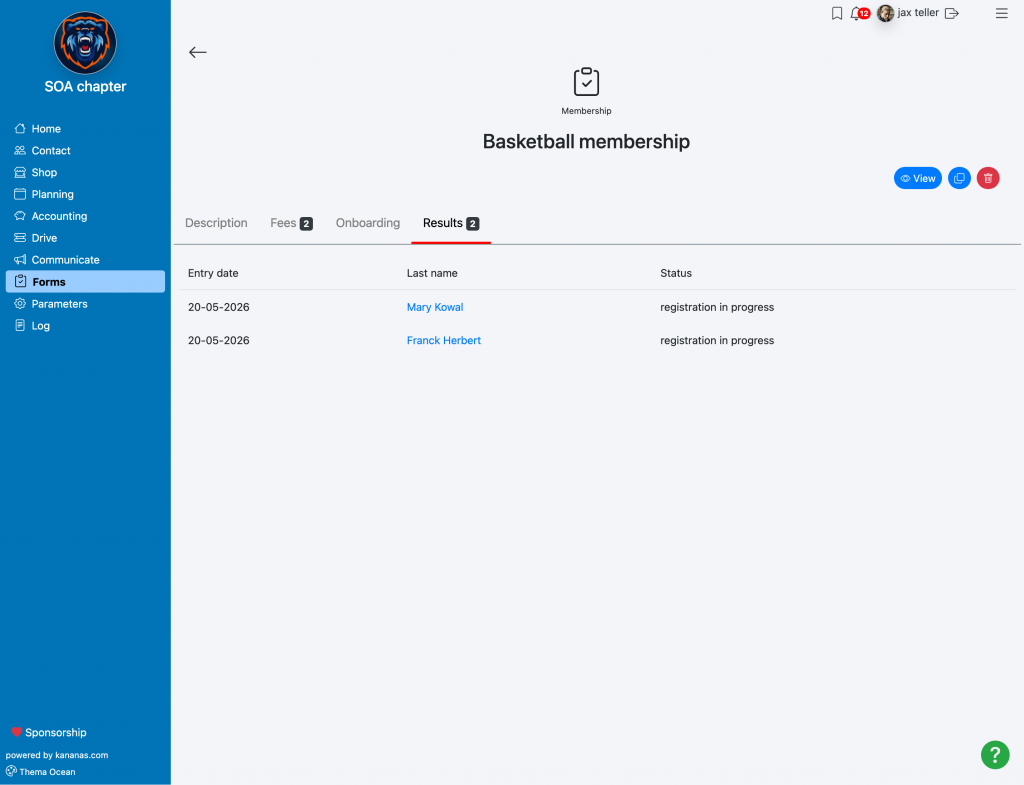
The Results tab allows you to view all the people who have completed this form. You can easily find the submitted information, track membership requests and access the data associated with the contacts created in Kananas.
Main benefits of online membership forms
1. Time savings and simplicity
Fast creation: Kananas online membership forms make it easy to create registration journeys tailored to your association, club or nonprofit.
Automation: membership requests are automatically saved in your contact database, avoiding manual data entry and reducing errors.
2. Accessibility and convenience for members
Online membership 24/7: members can join from a computer, tablet or smartphone at any time.
Simplified journey: online payment, automatic confirmations and access to the member area improve the user experience.
3. Reduced administrative workload
Less paperwork: online forms reduce printing and simplify the processing of membership applications.
Centralized tracking: you can easily monitor requests, payments and renewals from a single association management platform.
4. More professional membership management
Customizable forms: each section, activity or membership category can have its own form with specific fields.
Automatic notifications: managers are immediately informed when a new membership request is submitted.
To learn more about forms:
Questionnaires (surveys, votes, information requests)